

Cloud backup and sync
Records backed up as you go and on more than one phone. Data kept in Australia.
For demolition and civil supervisors
Record unexpected finds, work stoppages and restarts as they happen. Capture photos, instructions, notifications and stand-down times on your phone, even without reception. Export a clear report to support your delay claim.
The problem
By then, memory has faded and the text thread doesn't say who instructed what. Every delay dispute comes down to the same four questions. Records made at the time answer them.
In the hazmat survey, or on the drawings? Which document and page did you check?
Name, role, the time, and how: phone, in person, text or email. Then confirmed in writing.
The stop, the stand-down, and the restart. Each one, by whom and when.
Every worker and machine on stand-down, from what time to what time, and where they went.
One find, start to finish
This is the fictional worked example that comes with the app. Open it yourself in the app, or read the report it produces.
Every value in the record shows when it was entered on the phone.
View the sample PDF reportHow it works
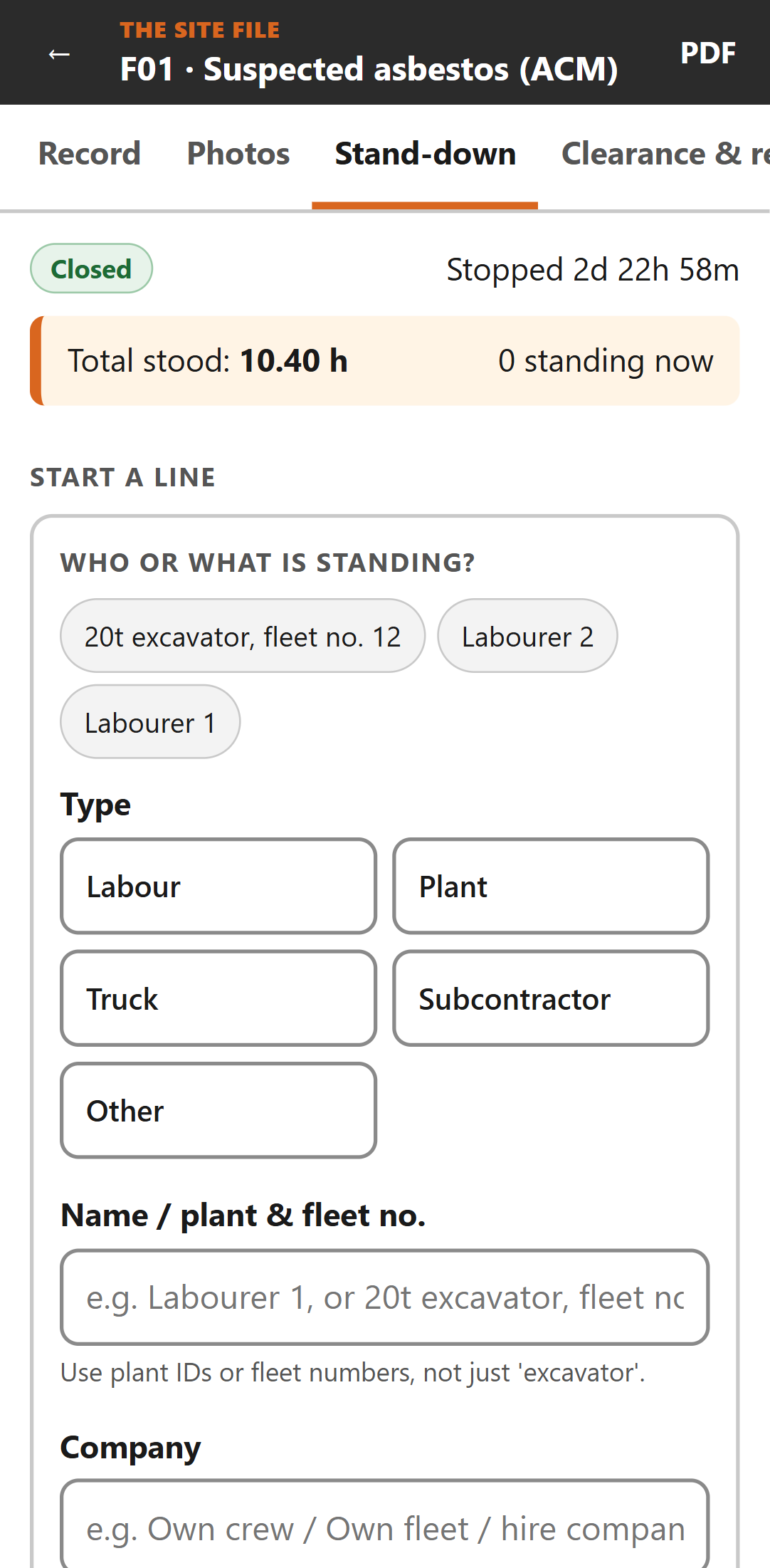
Start a line when they stop, stop it when they're redeployed or released. Stand-down hours are added up for you, and the cost too, if you enter a rate. Lines that run past midnight are split by day.
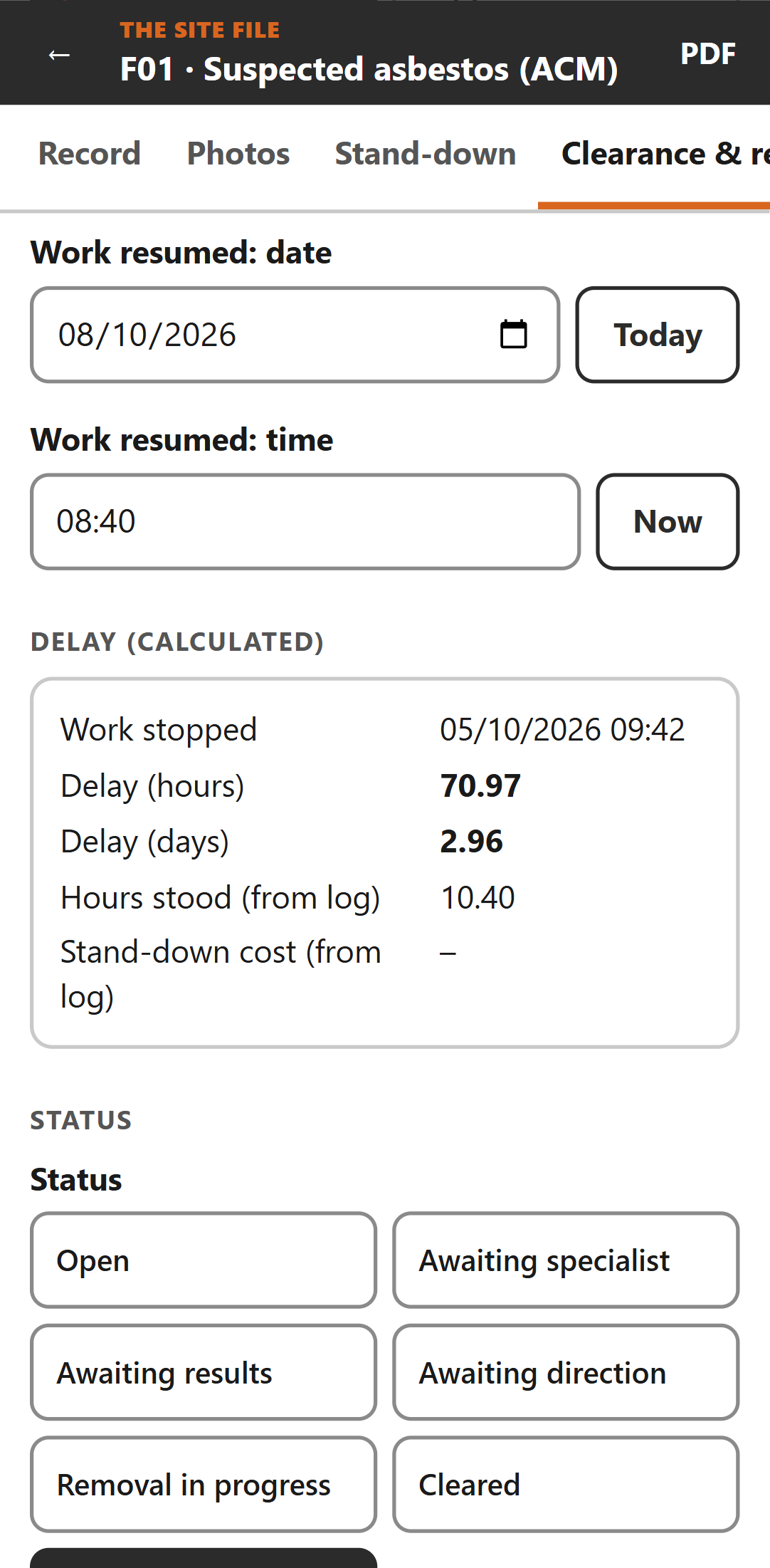
The elapsed delay from work stopped to work resumed, in hours and days, alongside the specialist visits, the clearance, and who instructed the restart and how. The figures carry straight into the report and the spreadsheet export.
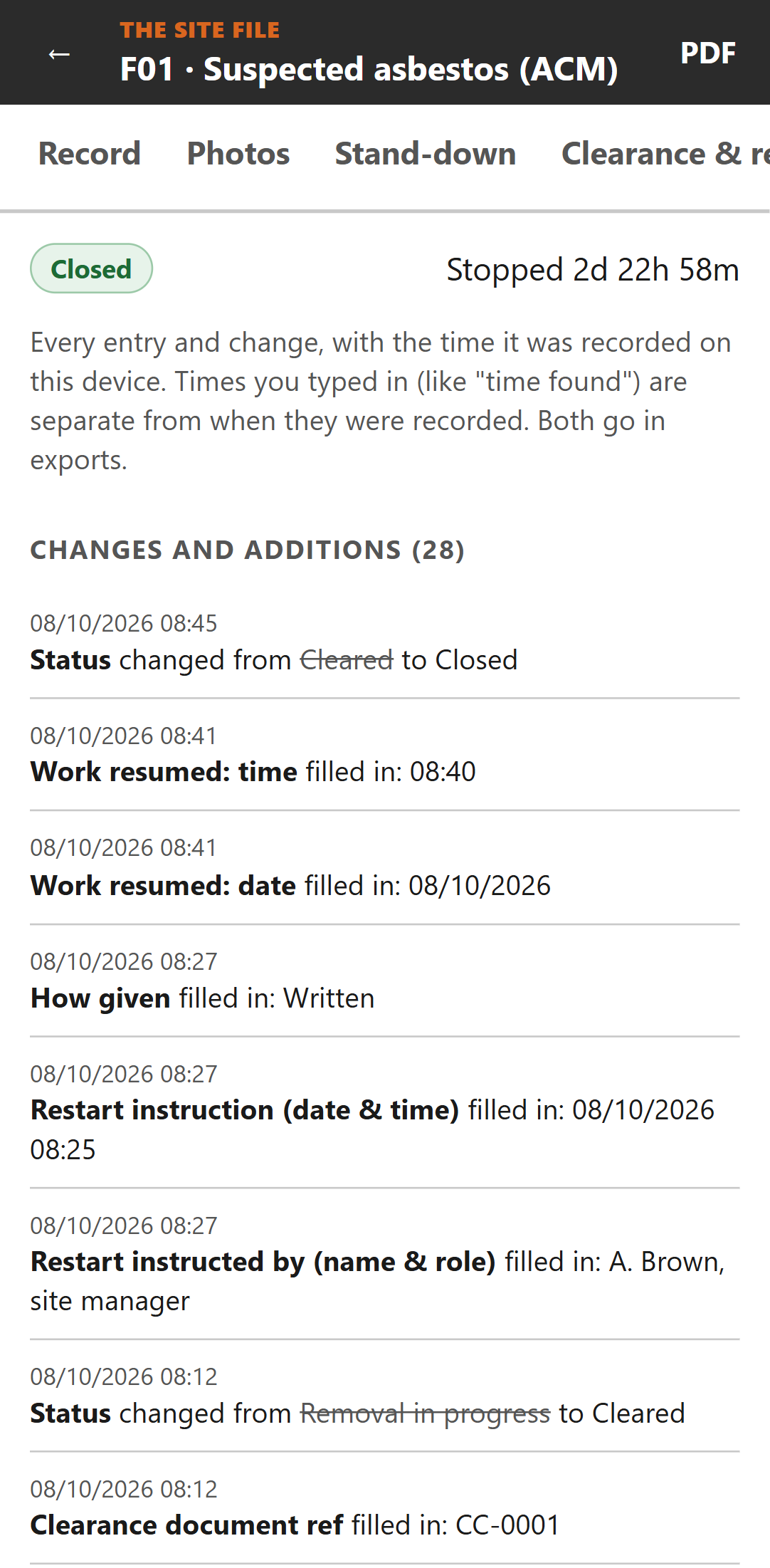
Each value shows when it was entered. Change something later and the old value, the new value and the time are kept. A find recorded by mistake is voided with a reason, never deleted.
Every new find opens with: stop, make safe, isolate. Then record.
Records save automatically on your device as you go, from the moment you start a find.
Taken in the app or added from your gallery, marked which. Originals kept unchanged.
The message is written from your record and sent from your phone. The exact text is kept.
Five minutes before knock-off: photos, confirmations, timers stopped, records sent.
A PDF report for each find, and a spreadsheet of the whole project with delay and stand-down hours worked out.
Everything, photos included, in one file you keep. Restore it on a new phone.
dd/mm/yyyy, 24-hour times, plain words. Two times kept: the one you typed and when you typed it.
The full record for one find, ready for the PM or the builder: what was found and where, who was told and how, the stand-down log with totals, specialist visits, clearance and restart, photos, the confirmation messages sent, and every change with its time. Five pages, from the fictional worked example.
Built for site, not the office
Built by a demolition and civil supervisor who knows what happens when site records are questioned weeks later.
Coming soon
Records backed up as you go and on more than one phone. Data kept in Australia.
Invite supervisors and the office, choose who sees which projects. Viewers free.
A reference on every report, so anyone can check it's genuine and unchanged.
Pricing
Free
Free to use while we're in early access.
Paid Solo and Team plans, with cloud backup and team accounts, are coming. We'll give notice on this page and in the app before paid plans start, and early users will get a launch deal.
Questions
Only the first time you open it. After that it works with no signal at all: recording, photos, timers, reports.
Not during early access. No account and no card. Open the app and start recording.
No app store. Open it in your phone's browser and add it to your home screen. It works on Android and iPhone.
In the app's storage in your phone's browser, on that phone only. They aren't sent anywhere. If you change phones, clear your browser's data or remove the app, the records go with it, unless you have a backup.
To make one: Menu → Backup & export → Back up now, then keep the file somewhere safe, such as your email or cloud drive. It holds everything, photos included. On a new phone, open the app and use Restore from a backup file. On iPhone, Safari can clear data for sites you haven't opened in a while, so back up regularly.
Cloud backup, kept in Australia, is coming.
Always. A PDF report for each find, the spreadsheet for the whole project, and a full backup file.
We'll give notice on this page and in the app before paid plans start. You'll always be able to open, print and export what's on your phone, and early users will get a launch deal.
No. It's a record-keeping tool. It helps you keep a clear record; get advice on your contract and your claim.
Send us an email. A real person reads it.